
Aanchal Parmar
Product Marketing Manager, Flexprice
Supabase is an open-source Postgres backend, and it costs $0 on Free, $25 a month on Pro, $599 on Team, and custom on Enterprise. Every paid plan bills per organization rather than per project, with usage charges on top once you pass the included quotas. The pricing page gives you the rates. It won't tell you what your bill actually comes to, which is the part people search for, so that's the number this breaks down.
Key takeaways
Supabase's paid plans bill per organization, not per project. Pro is $25 a month with the first project included and additional projects from $10 a month.
Every paid plan includes $10 a month in compute credits, enough to cover one Micro instance. The credit applies once per organization, and it doesn't apply to Branching compute.
Quotas pool across every project inside an organization. Three projects on Pro share one 100,000 MAU allowance, not three.
A production app on Pro with a Large compute instance costs $125 a month: $25 for the plan, $110 for compute, minus the $10 credit.
Monthly active users are the meter that dominates large bills. At 250,000 MAUs you pay $487.50 in MAU overage alone, which is roughly 94% of that month's invoice.
Supabase publishes monthly billing only, with no annual discount, and the Pro plan ships with a spend cap switched on by default.
What is Supabase?

Supabase is an open-source backend-as-a-service built on PostgreSQL. You get a Postgres database, authentication, file storage, Edge Functions running on Deno, and Realtime subscriptions, without managing any of the infrastructure underneath.
People call it the open-source Firebase alternative, and the label mostly fits, with one difference that matters for your bill: Supabase prices resources while Firebase prices operations. Supabase charges for database size, storage, and monthly active users; Firebase charges per document read, write, and delete. That's why a read-heavy app can run $25 here and several hundred there.
Five services generate billable meters: the database, Auth, Storage, Edge Functions, and Realtime. Those five are the whole story on cost.
How much does Supabase actually cost per month?
Most production apps on Supabase Pro land between $25 and $130 a month, and two things move that number: the compute size you pick and whether you cross 100,000 monthly active users. Everything else is rounding error until you get big.
Here's what four real setups cost, with the arithmetic in the open.
Setup | Plan | Compute | Overages | Monthly total |
Side project, low traffic | Free | shared | none | $0 |
Shipped app inside every quota | Pro $25 | Micro $10, covered by the credit | none | $25 |
Production app, dedicated CPU | Pro $25 | Large $110, minus $10 credit | none | $125 |
250,000 MAUs, modest infra | Pro $25 | Small $15, minus $10 credit | $487.50 MAU | $517.50 |
Most teams live in the $25 row for a long time, because the $10 credit covers exactly one Micro instance and a single project inside its quotas costs the base fee and nothing else. The $125 row is where you land when queries start timing out: Large is the first compute size with dedicated CPU on Pro, and at $110 it eats the credit and then some.
Every rate on this page comes from supabase.com/pricing and Supabase's billing documentation, verified on 19 August 2026.
How Supabase pricing works
Supabase runs a hybrid pricing model, which means a fixed monthly fee for the plan plus metered charges once you cross the included quotas. You pay $25 for Pro whether you use it or not, then $0.09 per GB for egress past 250 GB.
What makes it easier to read than most infrastructure pricing is that Supabase separates the fixed part from the variable part, then hands you a switch to turn the variable part off. That's rarer than it should be. Most usage-based pricing pages give you the rates and let you discover the total on the fifth of the month, which is a habit I'd happily see the category drop.
Supabase plans compared: Free, Pro, Team, and Enterprise
Supabase sells four plans, and each one targets a different stage of growth rather than a different feature set. We priced all four against the same imaginary workload while writing this, and the tiers separate cleanly.
Free | Pro | Team | Enterprise | |
Monthly price | $0 | From $25 per org | From $599 per org | Custom |
Projects included | 2 active | 1, then $10/mo each | 1, then $10/mo each | Custom |
Database size | 500 MB per project | 8 GB per project | 8 GB per project | Custom |
Monthly active users | 50,000 | 100,000 | 100,000 | Custom |
File storage | 1 GB | 100 GB | 100 GB | Custom |
Egress | 5 GB | 250 GB | 250 GB | Custom |
Cached egress | 5 GB | 250 GB | 250 GB | Custom |
Realtime peak connections | 200 | 500 | 500 | Custom |
Realtime messages | 2 million | 5 million | 5 million | Custom |
Edge Function invocations | 500,000 | 2 million | 2 million | Custom |
Backups | none | daily, 7-day retention | daily, 14-day retention | custom |
Log retention | 1 day | 7 days | 28 days | 90 days |
Compliance | none | none | SOC 2, ISO 27001, HIPAA add-on | SOC 2, ISO 27001, HIPAA |
Support | community | priority email with SLAs | designated manager, 24x7x365 |
Free suits prototypes and side projects. You get two active projects, and that limit counts across every organization where you're an Owner or Administrator, so you can't route around it by making more orgs.
Paused projects don't count, and you can keep as many paused as you like. Supabase pauses free projects after one week of inactivity and you restore them from the dashboard, which is fine for a hackathon build and disqualifying for anything with users.
Pro at $25 a month is where most teams land once they ship. The spend cap arrives switched on, so your bill stays at the base fee until you deliberately turn the cap off.
Team at $599 a month is a compliance purchase, and the table above is the whole list: certifications, dashboard SSO, scoped access, longer retention, and HIPAA as a paid add-on. You're not buying more compute.
You're buying the answers to a security questionnaire. Enterprise is custom and risk-driven, adding uptime SLAs, a designated support manager, a private Slack channel, and BYO cloud.
The jump from $25 to $599 is steep and there's nothing in between. I understand why Supabase drew the line there, since asking for SSO and audit logs is a reliable signal that a procurement team is involved. It still means a company that needs one certificate and nothing else pays $574 a month for a checkbox, and the loudest Supabase pricing thread on Reddit exists because of exactly that gap.
Why Supabase bills your organization, not your projects
Supabase charges the plan fee once per organization, and the quotas pool across every project inside it. This is the single most misread part of Supabase pricing, and getting it wrong changes your forecast by hundreds of dollars.
Three things follow from it. Your 100,000 MAUs, 250 GB of egress, and 100 GB of file storage are organization-wide totals, summed across every project and landing on one invoice. Compute is the exception: each project runs its own Postgres instance and bills its own compute, hourly. And the $10 credit lands once per organization too, which Supabase's own billing examples make plain, showing three projects with three compute lines and a single credit line.
You also can't mix plans inside one organization. Running one project on Pro and another on Free means creating two organizations, each with its own subscription, payment method, billing cycle, and invoices.
Some guides still describe Supabase Pro as "$25 per project", including one currently ranking above this page. It isn't, and the difference shows up the moment you add a second project: the real increment is $10 of compute, not another $25 of plan fee. Database size is the one quota that genuinely multiplies with project count, since the 8 GB allowance is per project rather than pooled.
Supabase overage rates explained, metric by metric
Every Supabase plan includes a monthly quota per meter, and you pay only for what you use past it. Every rate below depends on Supabase counting something in real time, and real-time metering is the part teams underestimate when they try to build this themselves.
Metric | Free | Pro and Team included | Overage rate |
Monthly active users | 50,000 | 100,000 | $0.00325 per MAU |
Third-party MAUs | 50,000 | 100,000 | $0.00325 per MAU |
SSO MAUs | unavailable | 50 | $0.015 per MAU |
Egress | 5 GB | 250 GB | $0.09 per GB |
Cached egress | 5 GB | 250 GB | $0.03 per GB |
Database size | 500 MB per project | 8 GB per project | $0.125 per GB |
File storage | 1 GB | 100 GB | $0.0213 per GB |
Edge Function invocations | 500,000 | 2 million | $2 per million |
Realtime messages | 2 million | 5 million | $2.50 per million |
Realtime peak connections | 200 | 500 | $10 per 1,000 |
Images transformed | unavailable | 100 | $5 per 1,000 |
Monthly active users: 100,000 MAUs pooled across the org on Pro and Team, then $0.00325 per user (active = login, interaction, or token refresh, including silent renewals). Metered as three lines: standard, third-party (same rate), and SSO (50 free, then $0.015 each); 150,000 MAUs runs $162.50 over.
Egress: 250 GB/month on Pro and Team, then $0.09 per GB, all pulled from one Unified Egress Quota spanning database, storage, Auth, API, Edge Functions, and log drains. 5,000 users each downloading a 50 MB file eats the entire allowance.
Cached egress: 250 GB, then $0.03 per GB for requests served from Supabase’s CDN instead of your origin. At a third the price of uncached traffic, it’s the best reason to put public assets behind the CDN.
Database size: Each project on Pro and Team includes 8 GB of disk, then $0.125 per GB per month. It’s the only quota that isn’t pooled, so ten projects mean ten separate allowances; analytics tables and event logs usually push it.
File storage: 100 GB, then $0.0213 per GB per month. The pricing page shows $0.0213 and the docs show $0.021, a harmless rounding difference; billing charges the pricing-page rate.
Edge Function invocations: 2 million/month on Pro and Team, then $2 per million. Hooks, webhooks, and light processing barely register, but cron jobs and AI workflows blow through it, often the first meter an AI-native product crosses.
Realtime messages: 5 million/month, then $2.50 per million. Watch fan-out: one database change sent to five clients counts as five messages, so busy channels multiply faster than your traffic graph suggests.
Realtime peak connections: 500 concurrent peak connections, then $10 per 1,000. Only successful connections count, so a client retrying a failing handshake doesn’t bill you.
Image transformations: 100 origin images on Pro and Team, then $5 per 1,000. If you don’t resize on the fly, switch the feature off and the meter never runs.
Compute, disk, and add-on pricing
Supabase lets you scale compute, disk type, and disk size on a single project without moving your whole organization to a higher plan. That modularity is the best part of the pricing design: one heavy database doesn't drag every other project up with it.
Compute instances
Every Pro project starts on a Micro instance, and the $10 monthly compute credit covers exactly one of them. Instances bill hourly and you can resize at any time.
Size | Price per month | CPU | Memory |
Micro | $10 | 2-core ARM | 1 GB |
Small | $15 | 2-core ARM | 2 GB |
Medium | $60 | 2-core ARM | 4 GB |
Large | $110 | 2-core ARM, dedicated | 8 GB |
XL | $210 | 4-core ARM | 16 GB |
2XL | $410 | 8-core ARM | 32 GB |
4XL | $960 | 16-core ARM | 64 GB |
8XL | $1,870 | 32-core ARM | 128 GB |
12XL | $2,800 | 48-core ARM | 192 GB |
16XL | $3,730 | 64-core ARM | 256 GB |
Above 16XL | contact sales | custom | custom |
The ladder isn't linear, whatever the shape suggests. Micro to Small buys you 1 GB of memory for $5, and then Small to Medium buys 2 GB for $45. That's where the curve bends. Large is the first size with dedicated CPU included on Pro, and in most upgrades I've seen that's the actual reason teams move, not the memory.
Disks and storage performance
Supabase puts every project on a General Purpose disk by default and sells a High Performance option for workloads that need faster reads and writes. Storage scales to 60 TB and 80,000 IOPS.
General Purpose | High Performance | |
Max size | 16 TB | 60 TB |
Size | 8 GB included, then $0.125 per GB | $0.195 per GB |
IOPS | 3,000 included, then $0.024 per IOPS | $0.119 per IOPS |
Throughput | 125 MB/s included, then $0.095 per MB/s | scales with IOPS |
Durability | 99.9% | 99.999% |
You pay for disk size, provisioned IOPS (input/output operations per second, meaning how many reads and writes the disk handles), and throughput separately. Nobody has to buy the $599 plan because one database needs faster disks.
Optional add-ons
Supabase sells a set of per-project add-ons you switch on when you need them, all billed in arrears based on the hours they were active.
Point-in-time recovery: roughly $100 a month for 7 days of retention, $200 for 14 days, $400 for 28 days. You restore to any point down to the second.
Custom domain: a flat $10 a month per domain per project.
Database branching: no fixed fee, and a preview branch on the default Micro compute starts at $0.01344 an hour. Compute credits don't apply to branching compute, so your first branch costs real money even on a plan whose credit covers a Micro instance.
Advanced MFA with phone: $75 a month for the first project, then $10 a month for each additional project.
SAML and SSO auth: 50 MAUs included, then $0.015 per MAU.
Log drains: $60 a month per drain, plus $0.20 per million events and $0.09 per GB of egress. Events bill in whole 1-million packages, so 999,999 events and 1,000,000 events both cost $0.20, and 1,000,001 costs $0.40.
Image transformations: 100 origin images included, then $5 per 1,000.
Read replicas, IPv4 addresses, and Pipelines are all available as project add-ons, priced on their own usage pages.
HIPAA projects: available as a paid add-on on Team and Enterprise, with the price unpublished.
One more cost that isn't an add-on and isn't a line item: pgvector ships on every plan including Free at no extra charge. Vector search costs whatever storage and compute it consumes and nothing on top, which for a team putting AI features on Postgres is the difference between one bill and two.
How to choose the right Supabase plan
Pick your plan off your workload, not your budget, because the thresholds are numeric and easy to check.
Stay on Free while you're validating an idea, running an internal tool, or building something whose users won't notice a pause. Move to Pro when you approach 40,000 MAUs, which is 80% of the free ceiling, or pass roughly 400 MB of database, or need daily backups, or reach the point where a one-week pause would cost you customers. Move to Team when a security review asks for SOC 2 or ISO 27001, or you need SSO on the dashboard, 14-day backups, or 28-day logs. Move to Enterprise when a contract demands an uptime SLA, BYO cloud, or 90-day log retention.
If you're unsure, start on Pro. The spend cap holds your bill at $25 while you watch the usage page for a month, and a month of real numbers beats any estimate on this page.
Wrapping up
Supabase's pricing works the way developers actually build: start free, ship on $25, and pay for the specific resource that grew. The parts worth remembering are that the plan bills per organization, that quotas pool while compute doesn't, and that the spend cap protects you until you decide otherwise.
Your next step takes about ten minutes. Open your organization's usage page, look at where you sit against the 100,000 MAU line and the 250 GB egress line, then price the compute size you're actually running. That's your real bill, and it's usually lower than the anxiety suggests.
If you're building the same pricing shape into your own product, start with the Flexprice docs and model one plan with a recurring charge and one metered feature before you add the rest. Every feature ships in the open source tier and you can self-host the whole thing, which is why Flexprice is open source in the first place.
Star us on GitHub to follow the work, or join the Slack community if you want to argue about pricing models with 300+ other builders.
How to clone Supabase's pricing with Flexprice's Prompt to Plan Feature
If Supabase's pricing model resonates with how you want to charge for your own product, you don't have to build the billing infrastructure from scratch.
Flexprice's MCP server lets you replicate this exact structure, fixed plans, included compute credits, usage-based overages on MAUs, egress, and storage, plus modular add-ons like PITR or custom domains, without writing billing logic yourself.
You just have to give a simple prompt, and it’s ready. Let's see how this works.
Step 1:
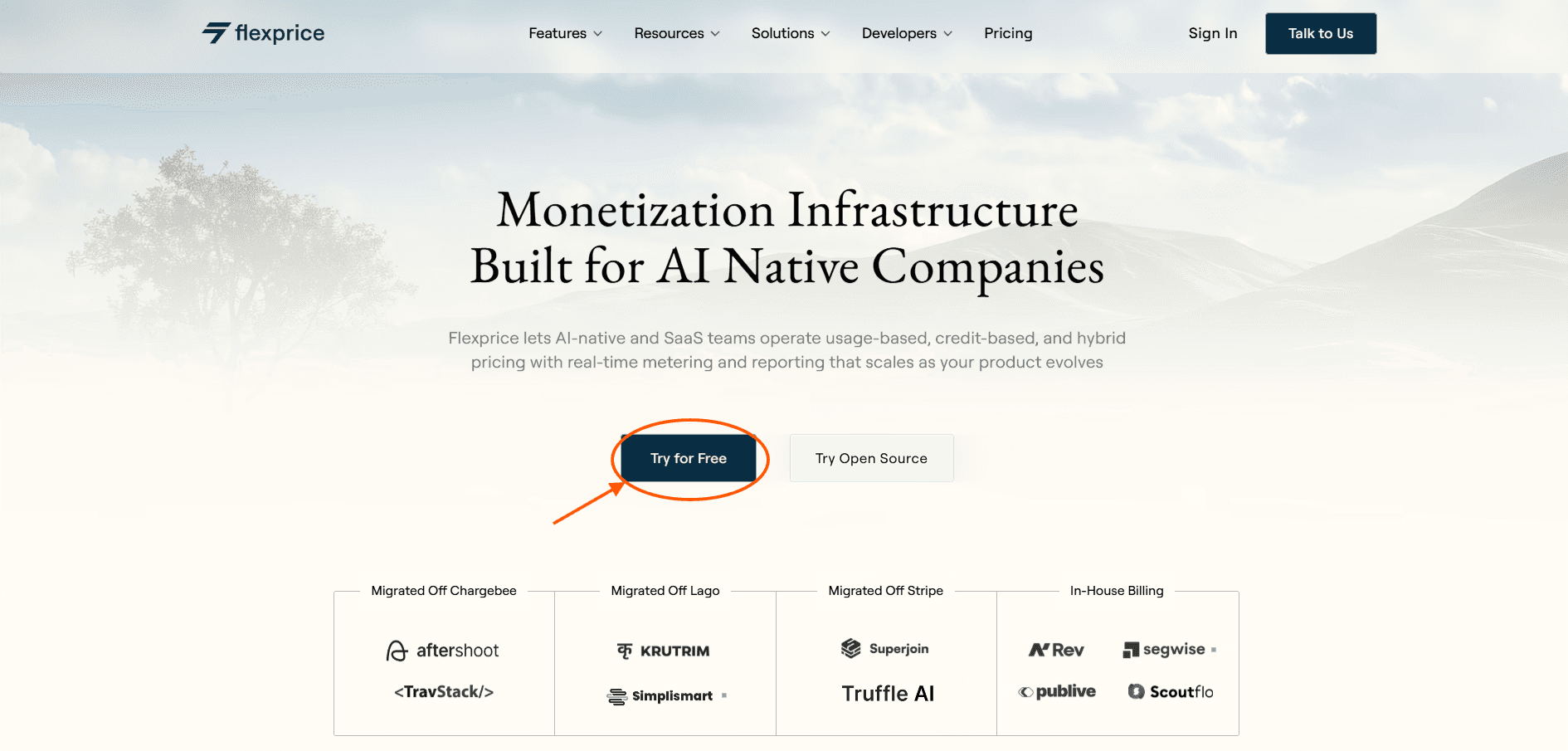
First, visit our website Flexprice.io, then click on the Try For Free button to sign up
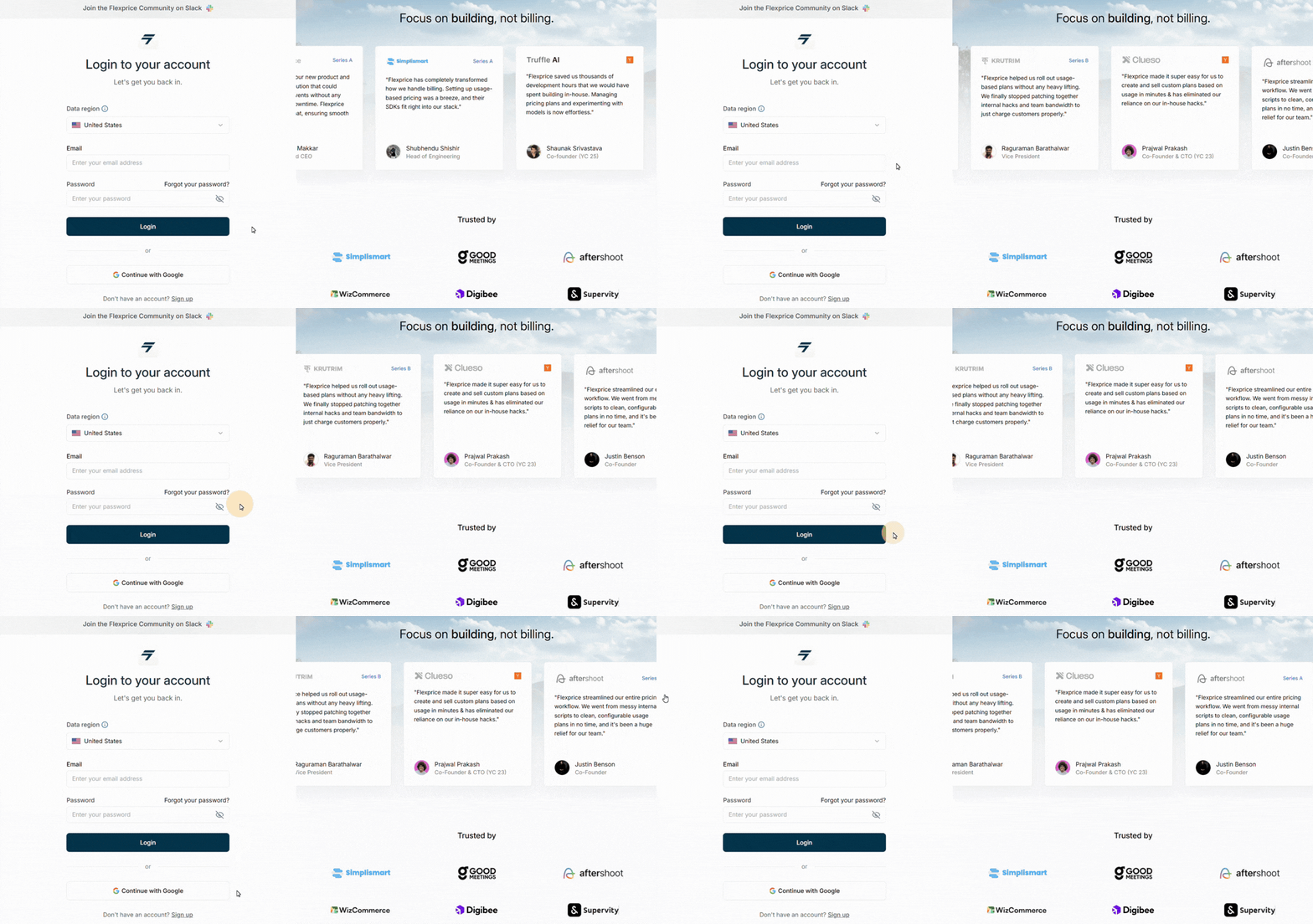
After that, a new window will open where you can fill in your credentials to get started with us
Step 2:
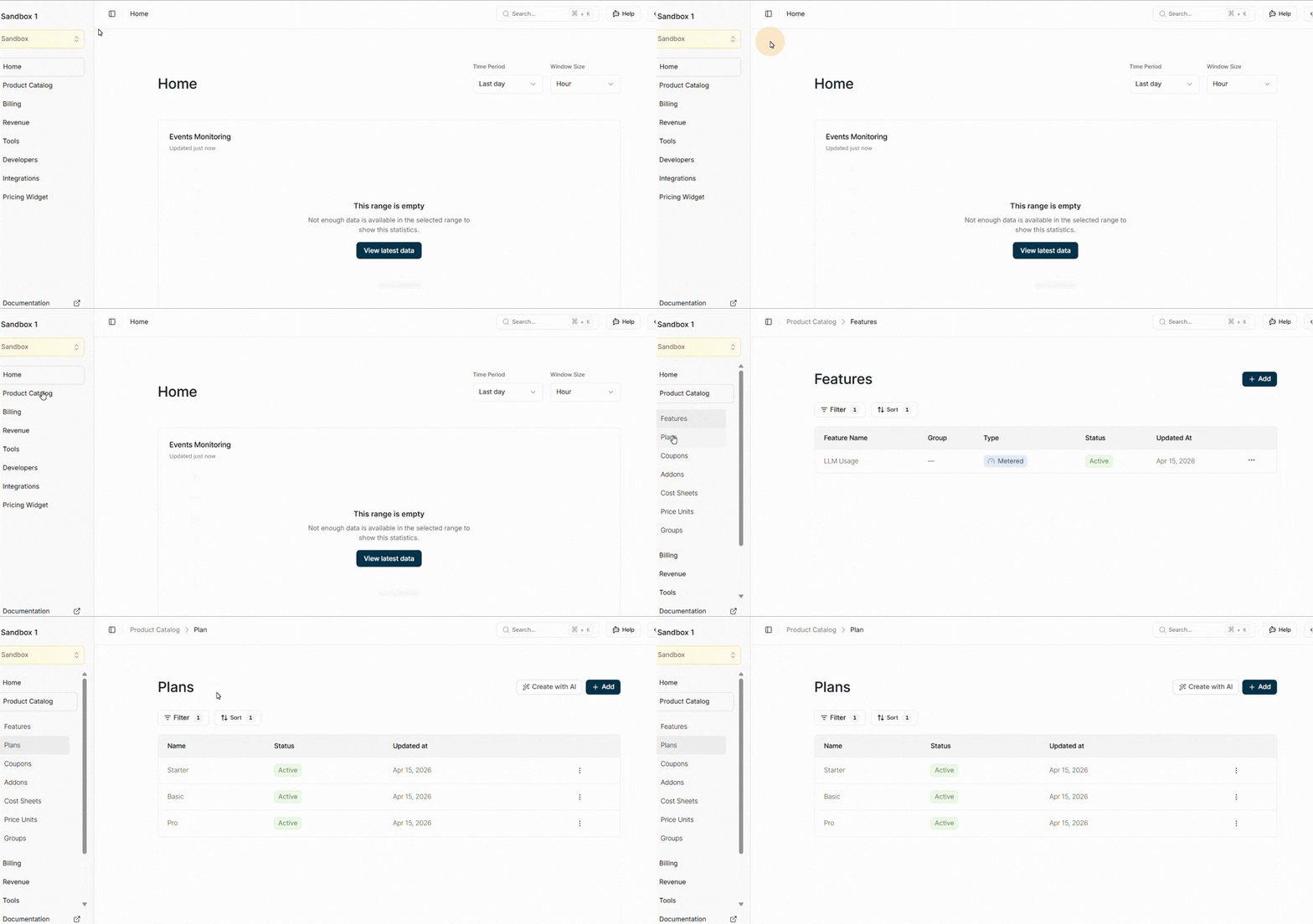
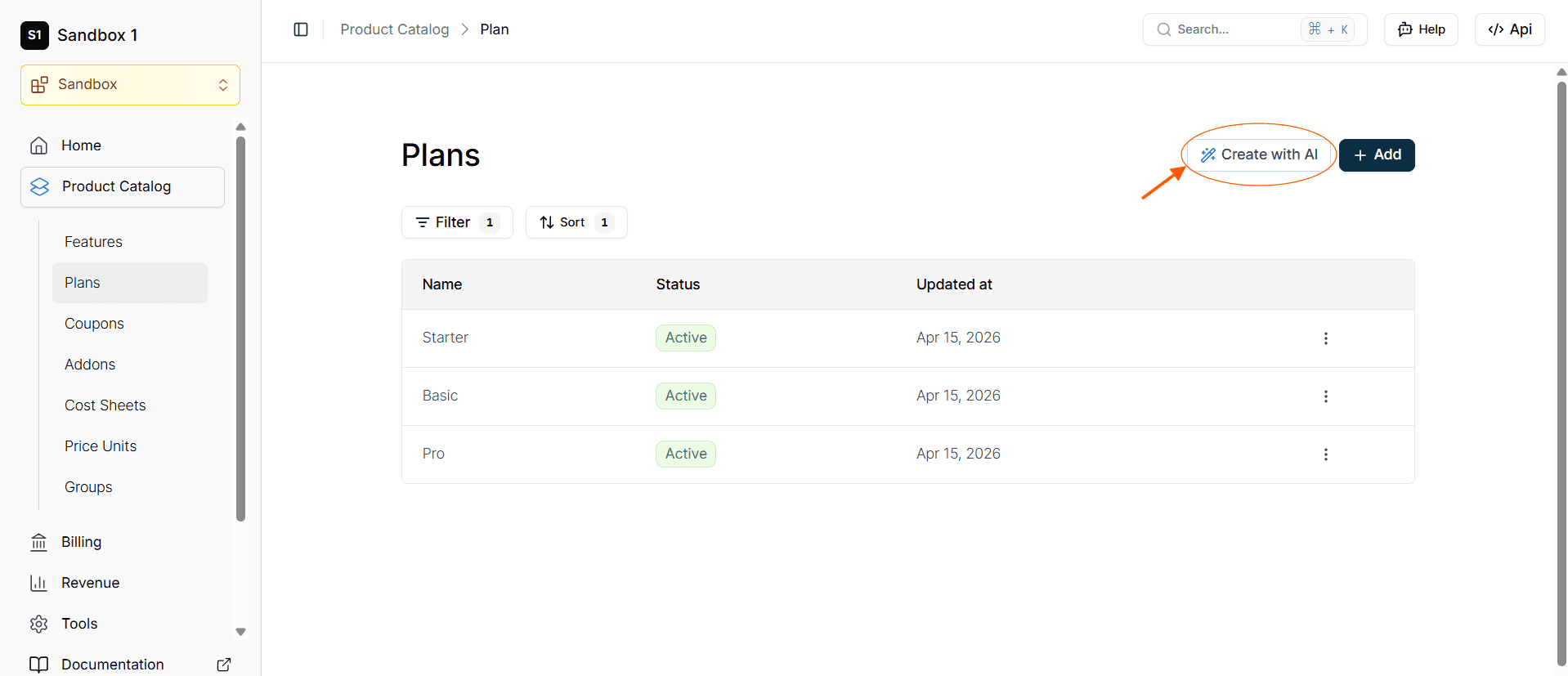
After you're signed up, the Flexprice dashboard will open up. Now, navigate to the product catalog, where you can see plans. Click on that
Step 3:
On the top right corner, you can see a button CREATE WITH AI, so click on that.
Step 4:
Once you click on that, a new window will appear, and there, provide a single prompt to analyze the Supabase pricing page and replicate its entire structure. In the prompt, include the Supabase pricing link : https://supabase.com/pricing.

Step 5:
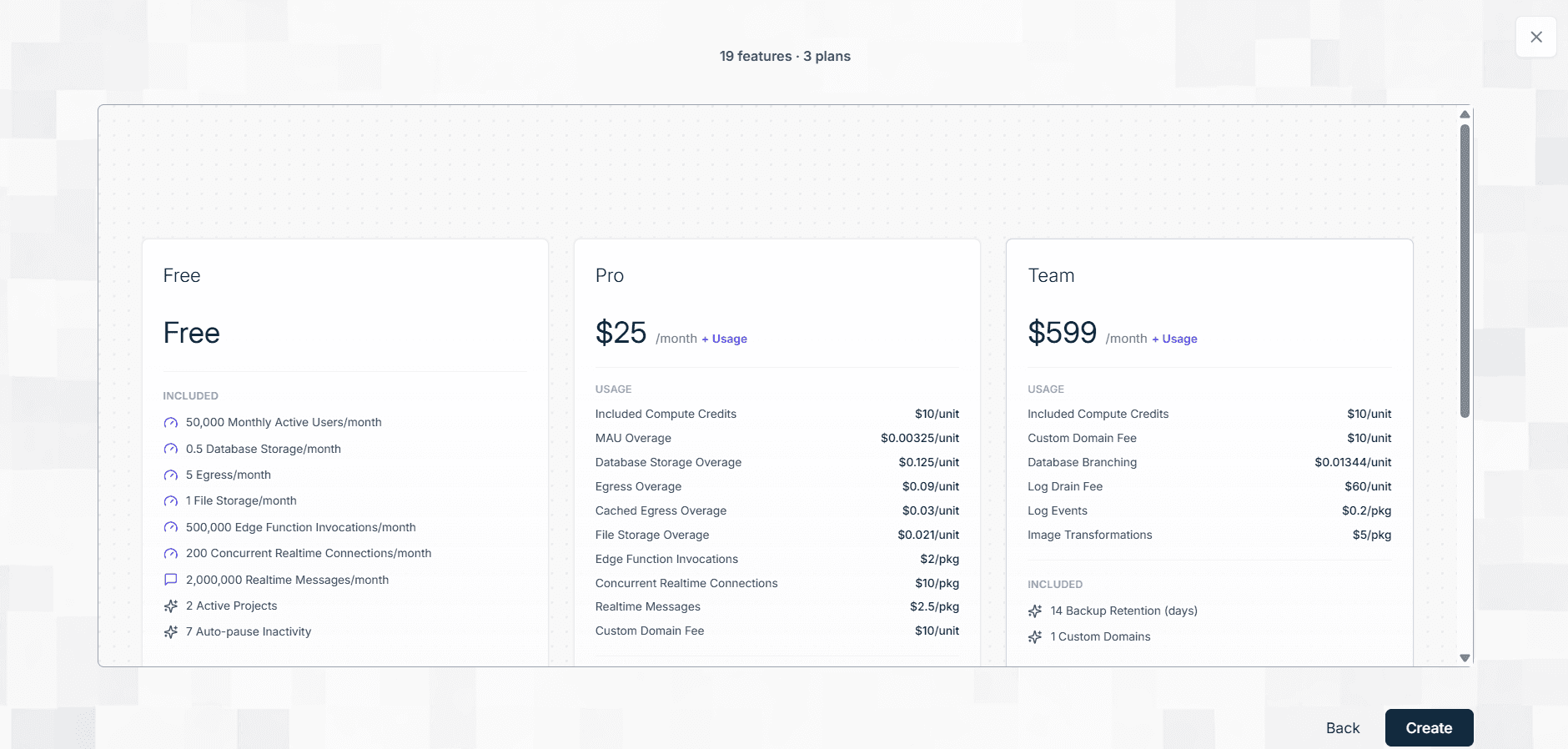
After the analysis is over, a new window with all the features and plans will come up. Now, click on create and all of your plans will be created.
How to clone Supabase pricing model using Flexprice's MCP server
If the Supabase pricing model resonates with how you want to charge for your own product, you don't have to build the billing infrastructure from scratch. Flexprice's MCP server lets you replicate this exact structure without writing billing logic yourself. Let's see how this works:
Step 1:
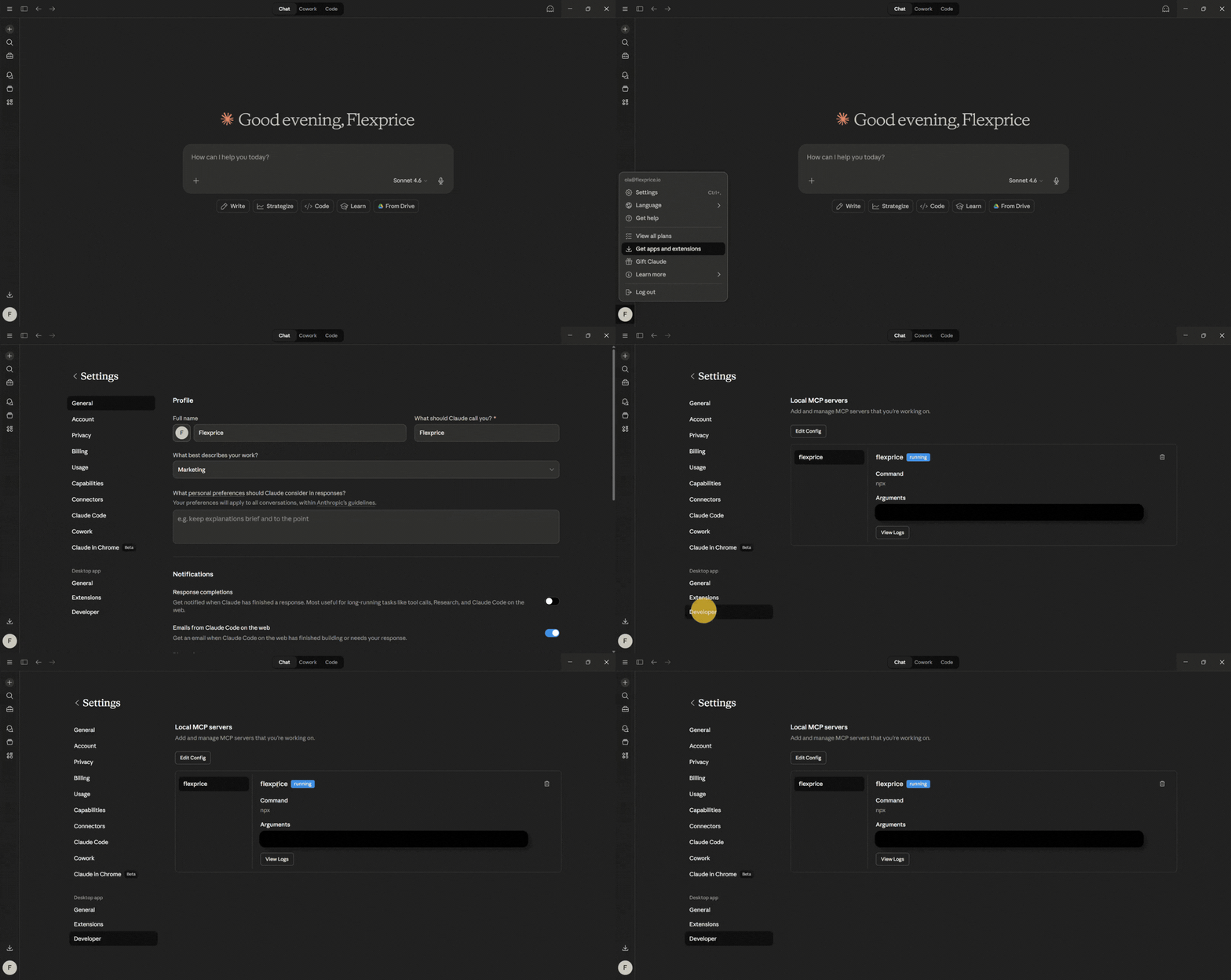
First, you need to ensure that you are successfully set up with the Flexprice MCP server. You can check it by going into settings, then into developer options. There, you can see the Flexprice MCP server status.
Step 2:
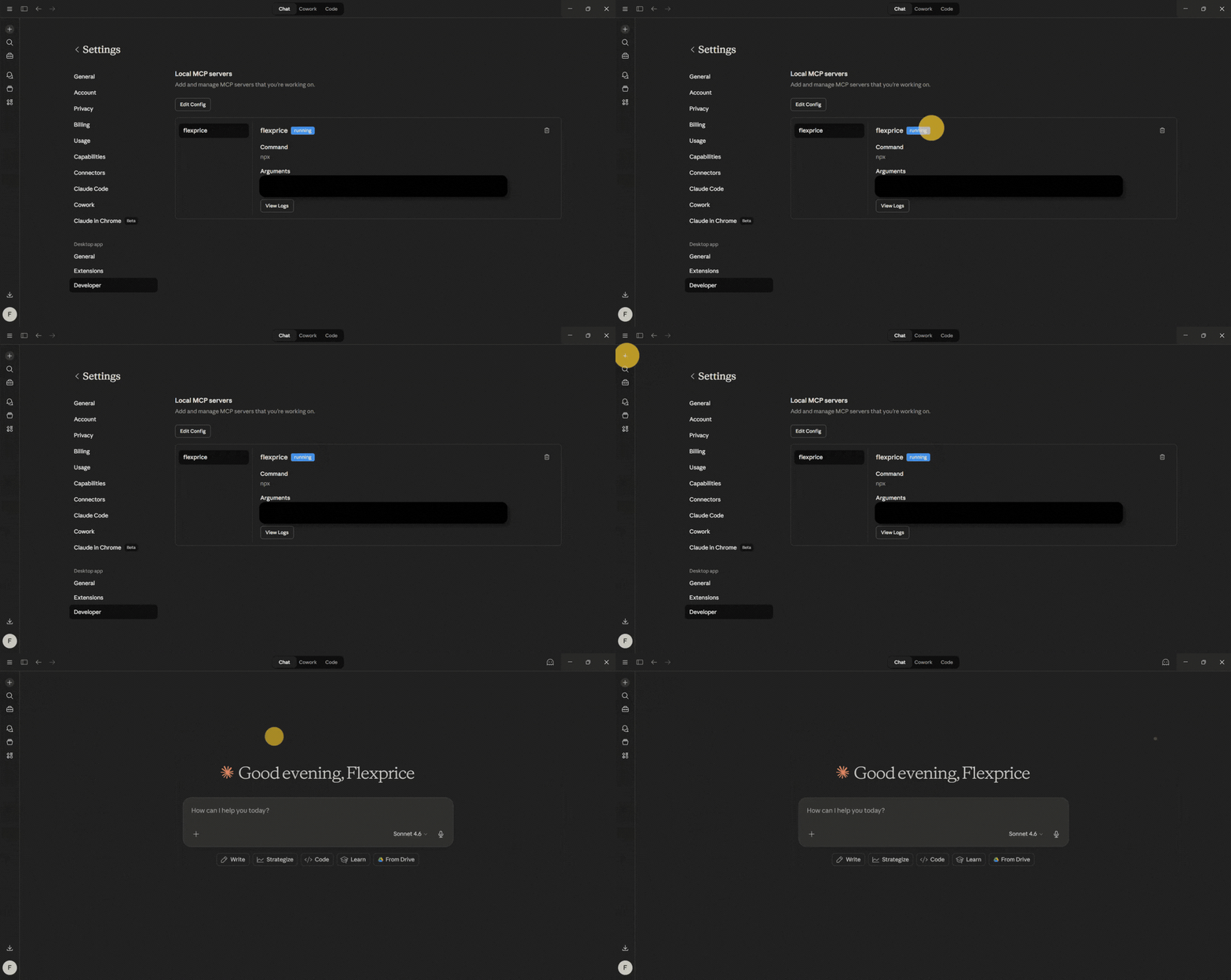
Access Claude or any other AI tool that integrates with the MCP server.
Step 3:
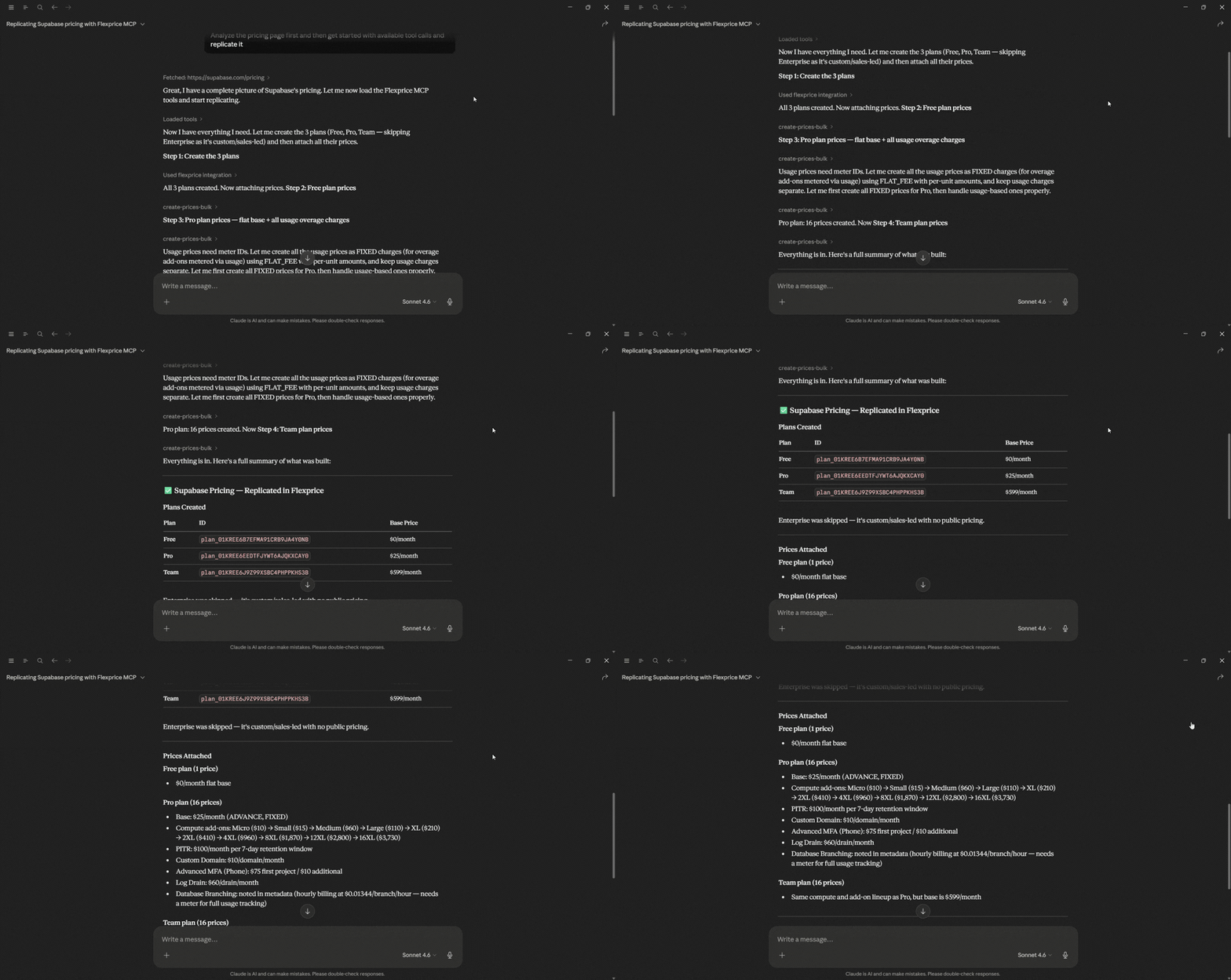
Provide a single prompt asking the AI tool to analyze the Supabase pricing page and replicate its entire structure through the Flexprice MCP. In the prompt, include Supabase’s pricing page link: https://supabase.com/pricing

Step 4:
Wait a few moments while the AI automatically processes the prompt and generates the necessary billing infrastructure plans
Step 5:
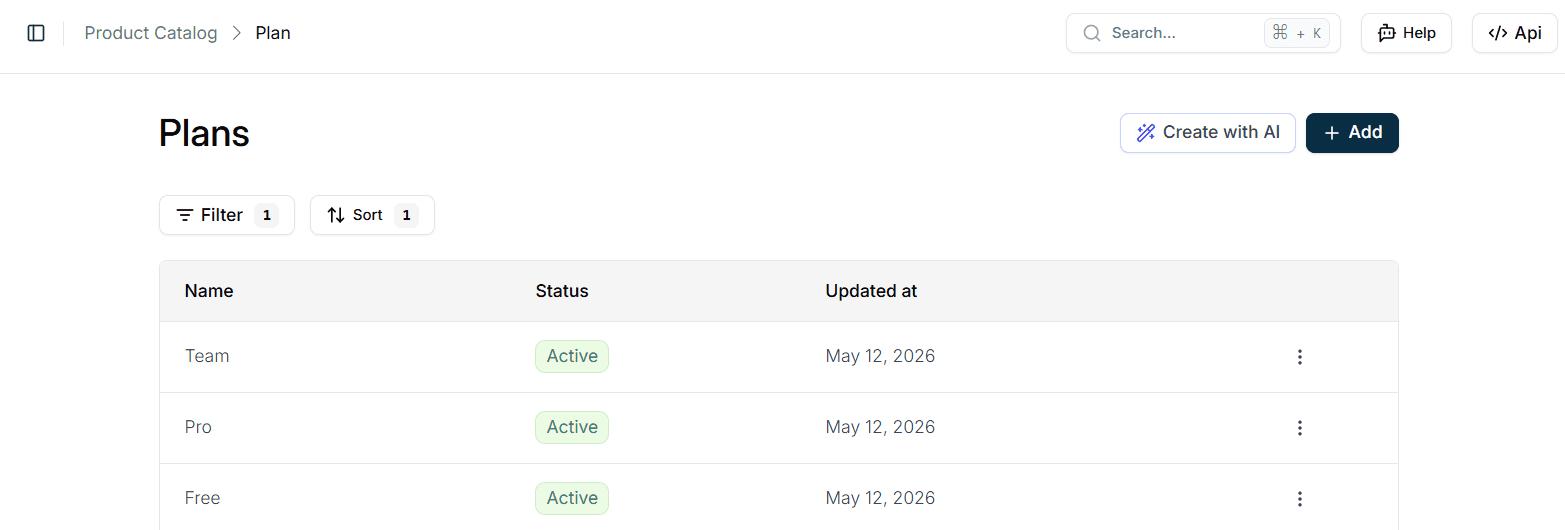
Navigate to your Flexprice dashboard to review the newly created assets. You will find that the AI has used the context from Supabase’s pricing page to automatically pre-fill and create plans.
Wrapping up
Supabase's pricing model is built for how developers actually work: start small, track usage, scale when you need to. The Free tier covers prototyping and MVPs. Pro at $25/month gives you room to grow with spend caps that keep bills predictable. And when you need compliance or enterprise features, the jump to Team makes sense.
What matters most? You're not paying for complexity you don't need, and you won't hit walls when you're ready to grow. Start with Free, monitor your usage, upgrade to Pro when you ship to real users. The pricing scales with your project, not against it.
If you're ready to build your own Supabase pricing, then either you can sign up for the tool or use our open source to create it. If you're tired of solving billing from scratch, you don't have to keep doing it alone.
⭐ Star us on GitHub to follow our progress
🤝 Join our community to share feedback and collaborate
How much is Supabase per month?
Is Supabase costly?
Is Supabase cheaper than AWS?
Is Supabase 100% free?
Why Supabase doesn't offer annual plans?